How a Small Design Change Can Cut Machining Cost by Half
Hi, I’m Jake. I’ve been working in CNC machining for nearly 20 years.
Today I want to talk honestly with buyers and designers about a very practical topic:
Why do two parts that look almost the same sometimes have completely different machining prices?
The answer is simple—design details matter more than most people realize.

1. A Real Case: From 5,800 to 2,300
Last month, a customer sent us an aluminum part drawing.
The initial CNC machining quote was 5,800.
After reviewing the design, our engineers suggested:
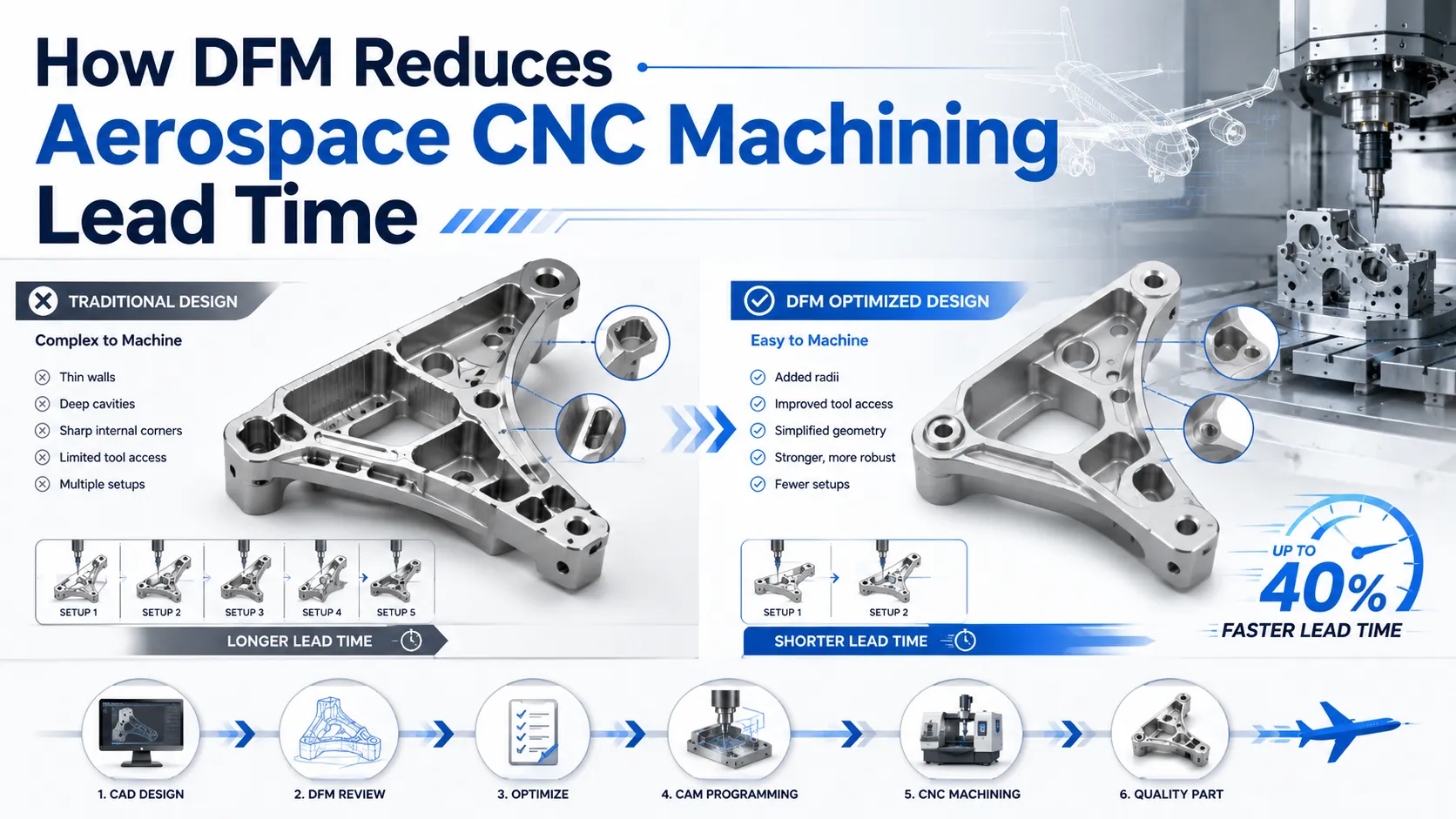
Changing several internal sharp corners to fillets
Reducing the depth of two deep holes
After these small design adjustments, the machining cost dropped to 2,300, with no loss in performance.
This isn’t a trick—it’s the result of understanding how CNC machining really works.
2. Design Details That Quietly Increase Your Cost
2.1 “This Corner Must Be Sharp” — The Most Expensive Four Words
CNC cutting tools are round.
Producing sharp internal corners requires:
Smaller tools (easier to break)
Multiple machining passes (more time)
Sometimes manual corner cleaning (higher labor cost)
Cost-saving tip:
For non-critical areas, use fillets whenever possible.
Larger radii allow faster machining and can reduce cost by 20–30%.

2.2 “Thinner Walls Save Material” — Not Always
Many buyers assume thinner walls mean lower cost.
In reality, walls thinner than about 2 mm often:
Vibrate during machining
Reduce dimensional accuracy
Require slower cutting speeds
Increase risk of deformation during clamping
Our advice:
Tell the factory how the part will be used.
We can recommend a wall thickness that is both stable and economical—often saving more machining cost than the material you think you’re saving.
2.3 “Tighter Tolerance Is Always Better” — Precision Costs Money
At first glance, ±0.05 mm and ±0.01 mm don’t seem very different.
But in CNC machining, the cost difference can be huge.
Tighter tolerances require:
Higher-precision machines
Slower machining speeds
More complex and time-consuming inspection
Lower yield rates
Practical suggestion:
Apply tight tolerances only to functional or assembly-critical features.
Relax tolerances on non-critical areas.
Smart tolerance allocation is one of the most effective ways to reduce cost.
3. Three Design Stages Where You Can Save Money
3.1 Early Design: Material Selection Matters
Fixtures and jigs often don’t need premium materials
Non-load-bearing cosmetic parts can use ABS plastic instead of aluminum, saving up to 60%
We often help customers choose materials based on real usage, not assumptions.
3.2 During Drawing: Design for Machinability
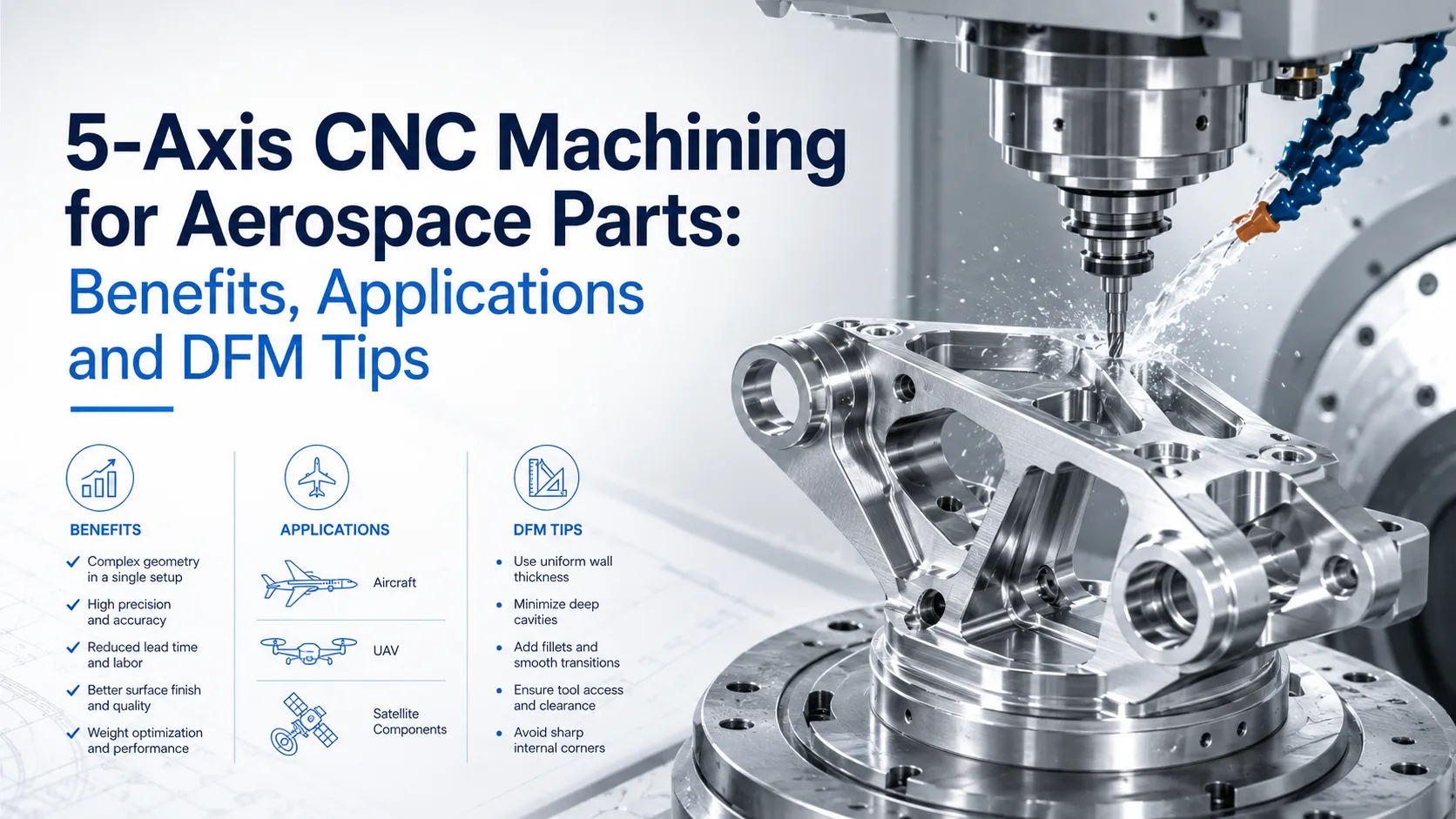
Good CNC design considers:
Completing features in one setup whenever possible
Avoiding unreachable “dead corners”
Reducing unnecessary angled surfaces (each angle change may require re-fixturing)
The simpler the setup, the lower the cost.
3.3 Before Final Release: Let the Factory Review It
Before locking the design, send it to your CNC supplier for review.
We often suggest:
Widening narrow slots to fit standard tools
Replacing blind holes with through holes when possible
Merging features to reduce machining steps
These small changes often bring big cost savings.
4. Why We Are Willing to Help Optimize Your Design
Helping customers optimize designs benefits both sides:
Easier machining → higher efficiency
More stable quality → higher yield
Lower cost → happier customers and long-term cooperation
This is true win-win manufacturing:
You save money, we reduce risk, and the partnership lasts longer.
5. Three Tips You Can Use Immediately
Call before sending drawings
“Can you review this design and suggest how to machine it more efficiently?”
A 5-minute call can save hundreds.Compare versions
Put the original and optimized drawings side by side.
You’ll quickly learn which design choices matter.Allow reasonable alternatives
If a standard material is unavailable, let the factory suggest an equivalent.
This flexibility can avoid weeks of delay.
Final Thoughts
After many years in this industry, one pattern is clear:
Customers who communicate more during the design stage always achieve the lowest total cost.
They avoid:
Late design changes
Rework
Production delays
If you have a drawing—final or not—feel free to send it to us.
We don’t charge for design review; it’s part of our service.
Often, just one or two small suggestions can make an entire project smoother and more economical.
Good products start with good design.
Good design starts with good communication.
You understand your application.
We understand machining.
Together, we find the optimal solution.